 MTN2
MTN2A dual-panel file manager with a real terminal
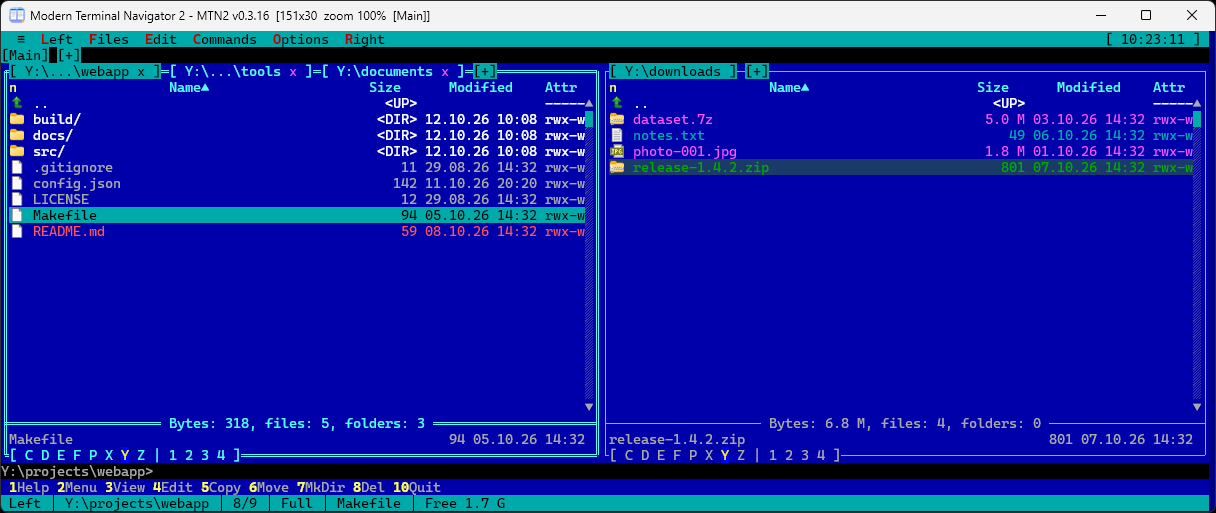
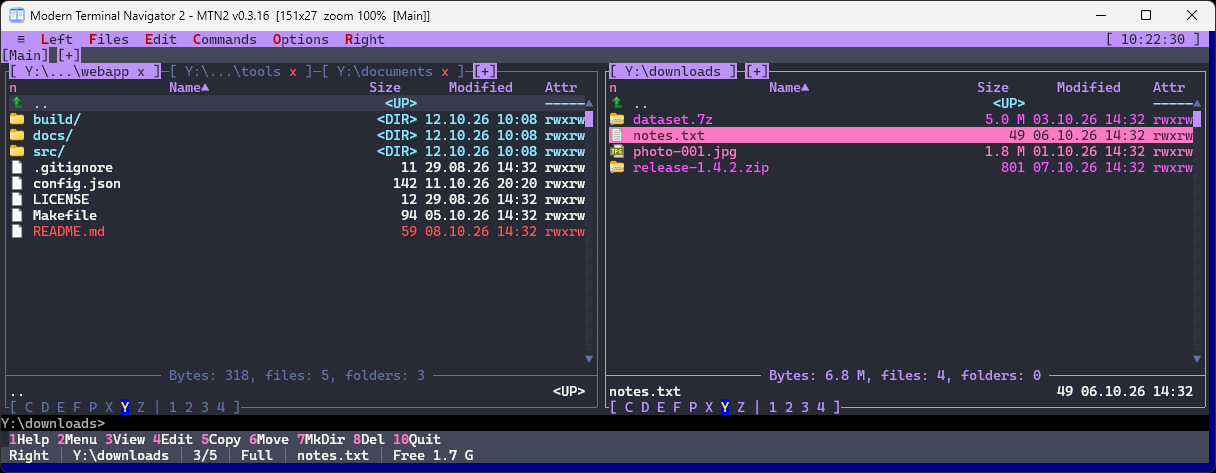
Modern Terminal Navigator 2: the familiar keys of DOS Navigator and Far Manager, tabs, a ConPTY console, a viewer, an editor and plugins. The interface is text-based, the window is a regular one.
Windows x64 and Linux x86-64 · Free, MPL-2.0 · No installer, no admin rights
Features
Panels and tabs
Two tabbed panels, Brief and Full modes, quick search, live filter, folder comparison, favorite folders, long paths.
A real terminal
A ConPTY console: cmd, PowerShell, Git Bash, WSL, SSH. ANSI/VT parsing, alternate screen for TUI programs, terminal workspaces.
Archives as folders
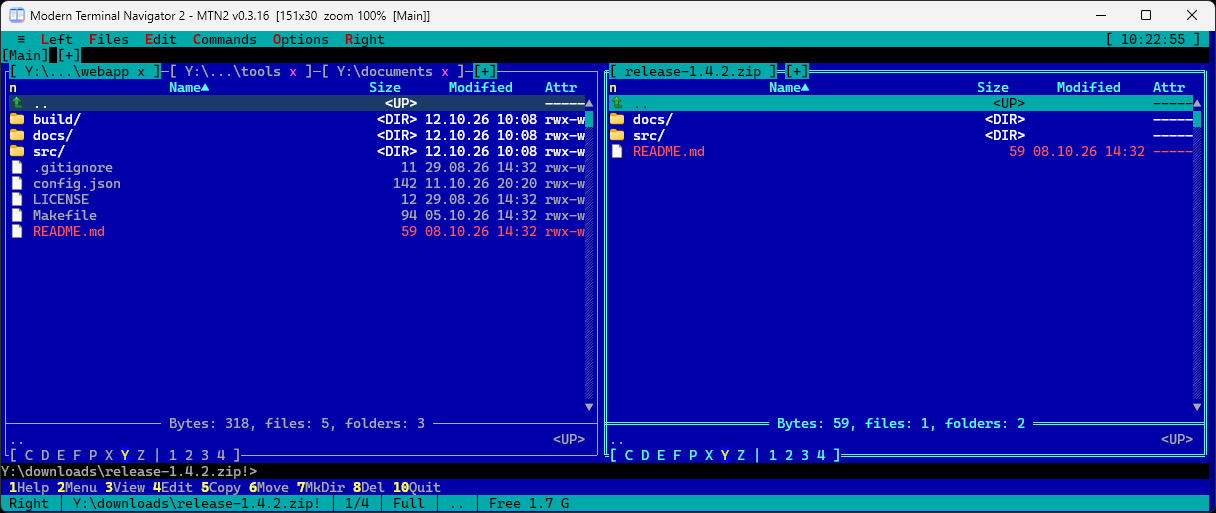
zip and 7z open like ordinary directories. SFTP over SSH is mounted as a virtual file system.
Viewer and editor
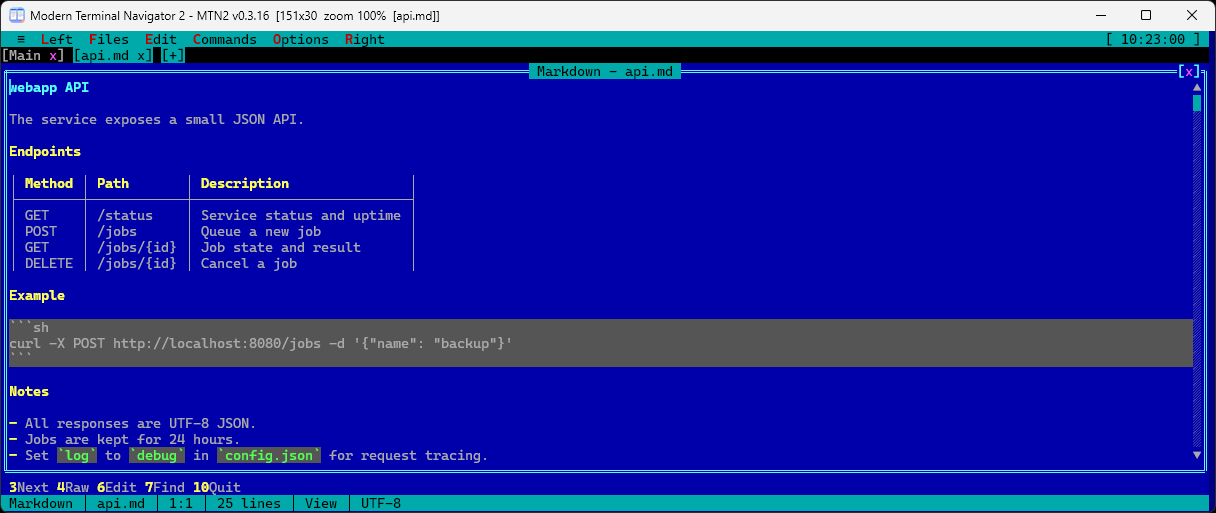
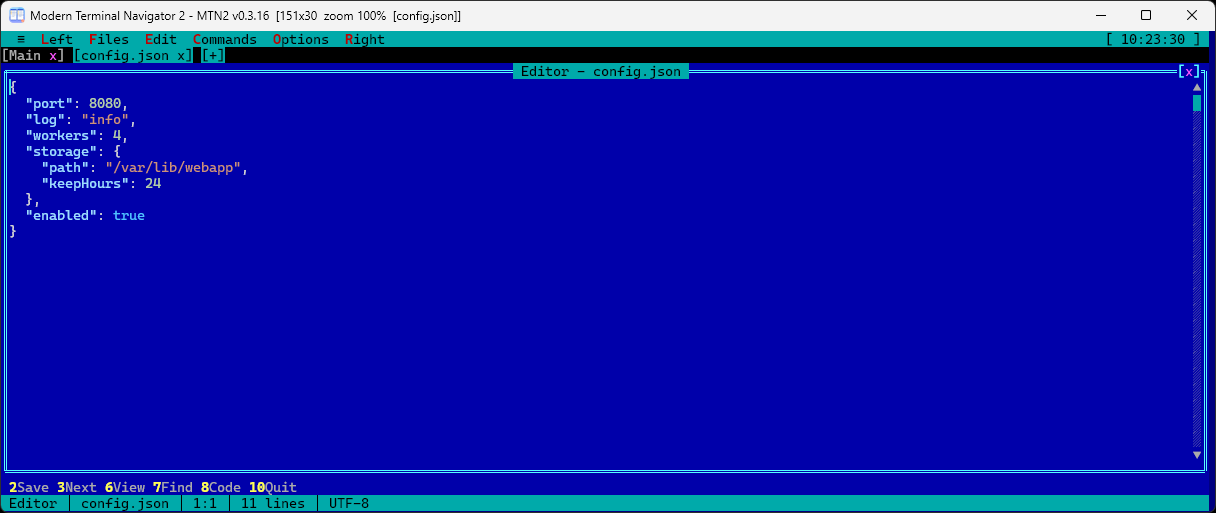
Text, hex, streaming of large files, Markdown preview with tables, Quick View on Ctrl+Q, an editor with plugin-provided highlighting.
Background jobs
Copy, move and delete run as jobs with progress, also shown on the taskbar button. Recycle bin, checksums, folder sync.
Keyboard first
The key layout is close to Far Manager and fully remappable through keymap.json. User menu on F2.
Themes
Far Classic, Norton Commander, Midnight Commander, Total Commander, Gruvbox, Tokyo Night, Dracula, Nord, Solarized, Light, High Contrast and more. Build your own in the theme editor: they are plain JSON files.
Plugins
Native DLLs and WebAssembly: custom file systems, panels, commands, menu items, key bindings and highlighting.
Unicode and languages
CJK characters take two columns, as in other terminals. The interface comes in English, Russian, German and Simplified Chinese and switches without a restart.
Linux
mtn2-tui fills the whole terminal and works over SSH and in tmux. mtn2-sdl shows the same window in SDL2 on X11 and Wayland.
Portable
One folder, no registry entries. The portable build keeps its settings next to MTN2.exe.
Privacy
No telemetry, no cloud features. The only network request is the update check on GitHub, and you can turn it off.
Screenshots
Getting started
- Download an archive from the Releases page:
win64.zip(settings in%APPDATA%\MTN2),win64-portable.zip(everything next to the program),linux-x64.tar.gzor.deb. - Extract it to any folder and run
MTN2.exe. On Linux:./mtn2/install.shorsudo apt install ./MTN2-*-linux-x64.deb, thenmtn2. - Press F1: the help covers keys and settings. After that the program updates itself (≡ → Updates) and always asks before installing.
On first launch Windows SmartScreen may warn about an unknown publisher: click "More info" → "Run anyway". Downloads are verified by SHA-256, see the FAQ for details.